Compiling the Contract

Once you write the complete contract code, compiling it in this IDE is trivial. Simply click on the Autocompile checkbox in the IDE as shown in the screenshot below −
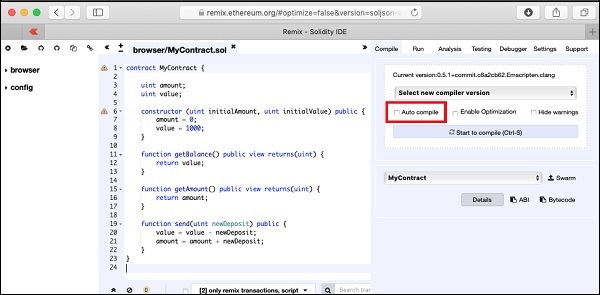
Autocompile checkbox

Alternatively, you may compile the contract by clicking the button with the title “Start to compile”.
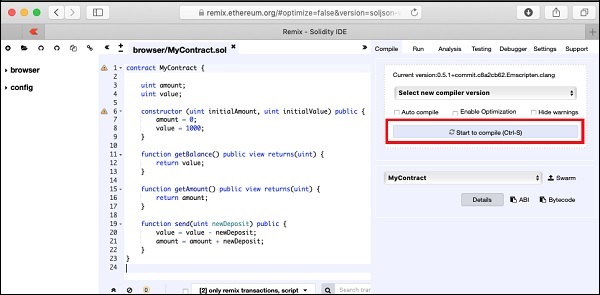
Start to compile

If there is any typo, fix it in the code window. Make sure the code is compiled fully without errors. Now, you are ready to deploy the contract.

Similar Posts

  • Smart Contracts

    There are several tools available to develop and test contracts. One of the simplest tools is provided on the official Ethereum site itself. The tool is called Remix, we will use this for our contract development. Remix for Contract Development Open the Remix IDE by typing in the following URL in your browser.https://remix.ethereum.org The following screen…

  • MyEtherWallet

    For client application, you will use MyEtherWallet. Download MyEtherWallet software from the following URL − If required, unzip the downloaded file and open index.html. You will see the following interface for creating a new wallet.

  • Ganache for Blockchain

    Ganache is used for setting up a personal Ethereum Blockchain for testing your Solidity contracts. It provides more features when compared to Remix. You will learn about the features when you work out with Ganache. Before you begin using Ganache, you must first download and install the Blockchain on your local machine. Downloading Ganache You…

  • Solidity for Contract Writing

    Solidity is an object-oriented language especially developed for contract writing. It is a high-level language, which inherits traits from C++, Python, and JavaScript. The Solidity compiler compiles your source code into bytecode that runs on Ethereum Virtual Machine (EVM). For quick understanding of the Solidity syntax, look at the sample code in the IDE.pragma solidity…