
Ganache is used for setting up a personal Ethereum Blockchain for testing your Solidity contracts. It provides more features when compared to Remix. You will learn about the features when you work out with Ganache. Before you begin using Ganache, you must first download and install the Blockchain on your local machine.
Downloading Ganache
You may download Ganache from the following URL −https://truffleframework.com/ganache
Ganache is available on several platforms. We developed and tested this entire tutorial on Mac. Thus, the screenshots below will show Mac installation. When you open the installation URL given above, it automatically detects your machine’s OS and directs you to the appropriate binary installation. The screenshot below shows the Mac installation.
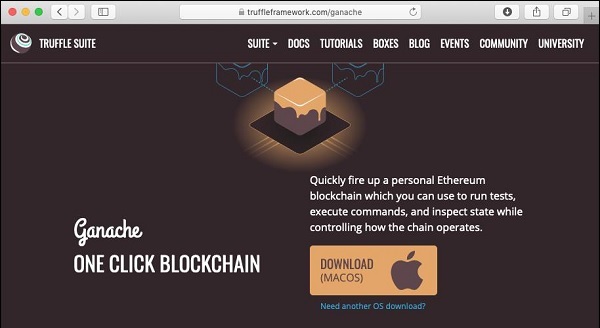
When you click on the DOWNLOAD button, it will begin downloading the DMG file for Mac installation.
Installing Ganache
Locate the “Ganache-2.0.0.dmg” in your Downloads folder and double-click on it to install Ganache. Upon successful installation, the following screen will appear −
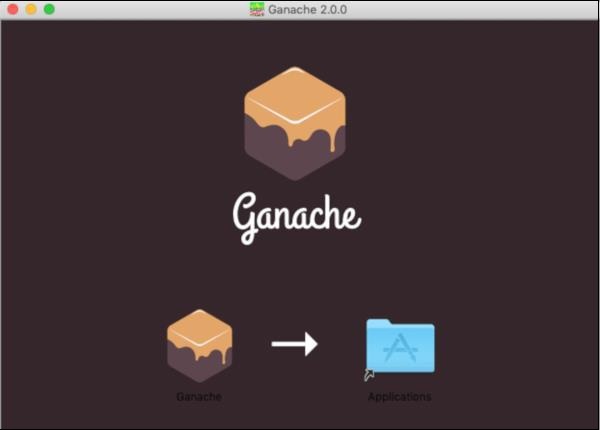
Drag Ganache icon to the Application folder. Now, Ganache is available as an application on your Mac.
If you are using some other OS, follow the instructions provided for successful installation.
Starting Ganache
Now locate Ganache in your Application folder and double-click on its icon to start Ganache.
Ganache Desktop
When Ganache starts, the Ganache screen will appear as shown below −
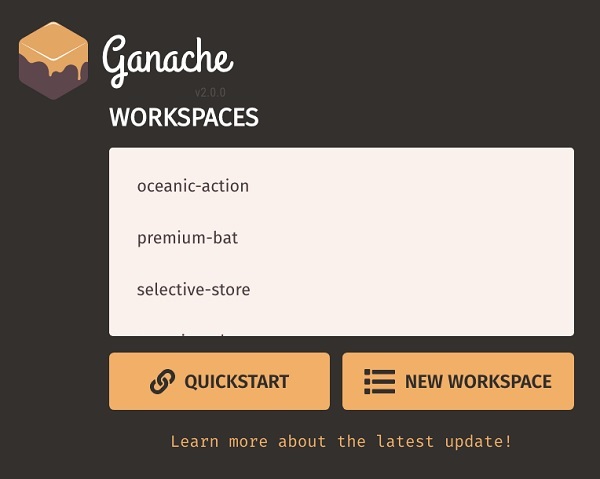
Click QUICKSTART to start Ganache. You will see Ganache console as shown below −
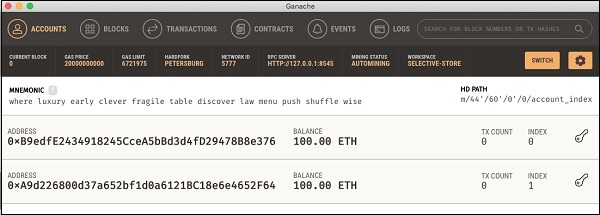
The console in the above screenshot shows two user accounts with balance of 100 ETH (Ether – a currency for transaction on Ethereum platform). It also shows a transaction count of zero for each account. As the user has not performed any transactions so far, this count is obviously zero.
We will now get an overview of a few important screens of Ganache that are of immediate relevance to us.